10. 相机配置详细说明#
10.1 相机配置参数说明#
相机配置采用YAML格式,支持以下相机类型:
| 相机类型 | 位置 | 功能 | 用途 | 特点 | 默认状态 |
|---|---|---|---|---|---|
| head_camera | 机器人头部 | RGB图像 + 深度图像 | 环境感知、物体识别、导航 | 支持深度感知,图像质量高 | 默认启用 |
| left_camera | 左机械臂末端 | RGB图像 | 左臂操作辅助、近距离观察 | 跟随左臂运动,操作视角 | 选配,默认禁用 |
| right_camera | 右机械臂末端 | RGB图像 | 右臂操作辅助、近距离观察 | 跟随右臂运动,操作视角 | 选配,默认禁用 |
10.1.1 REALSENSE 相机配置参数说明#
| 参数名 | 类型 | 说明 | 默认值 | 备注 |
|---|---|---|---|---|
| camera_type | str | 相机类型 | "REALSENSE" | |
| serial_no | str | 相机序列号 | 无 | |
| rgb_camera.color_profile | str | RGB图像配置 | "1280,720,30" | 支持的RGB分辨率: • 1280x720 @ 30fps • 1280x720 @ 15fps • 640x480 @ 30fps • 640x480 @ 15fps |
| enable_depth | str | 是否启用深度 | "false" | |
| depth_module.depth_profile | str | 深度图像配置 | "640,480,30" | 支持的深度分辨率: • 640x480 @ 30fps • 640x480 @ 15fps • 424x240 @ 30fps • 424x240 @ 15fps |
| align_depth.enable | str | 是否启用深度对齐 | "false" | 深度对齐说明: • 启用深度对齐:深度图像与RGB图像像素对应 • 禁用深度对齐:深度图像为原始深度数据 • 建议头部相机启用深度对齐 |
10.1.2 USB 相机配置参数说明#
| 参数名 | 类型 | 说明 | 默认值 | 备注 |
|---|---|---|---|---|
| camera_type | str | 相机类型 | "USB" | |
| video_device | str | 相机端口号 | 无需配置 | 设备路径: • 左相机默认 "/dev/left_camera" • 右相机默认 "/dev/right_camera" |
| image_width | str | RGB图像宽度 | "640" | 不支持修改 |
| image_height | str | RGB图像高度 | "480" | 不支持修改 |
| framerate | str | 相机帧率 | "25" | 不支持修改 |
10.2 相机配置示例#
1.基本相机配置:仅头部相机
代码示例如下:
from mmk2_sdk import MMK2Robot

# 初始化机器人
robot = MMK2Robot(ip="192.168.11.200")

# 仅配置头部相机
camera_config = {
        "head_camera": {
        "camera_type": "REALSENSE",
        "serial_no": "'242622071873'",
        "rgb_camera.color_profile": "1280,720,15",
        "enable_depth": "true",
        "depth_module.depth_profile": "640,480,15",
        "align_depth.enable": "true",
    }
}

# 设置相机配置
robot.camera.set_camera_config(camera_config)

# 启动相机流
robot.camera.start_stream()

# 获取图像
rgb_image = robot.camera.get_head_camera_rgb()
depth_image = robot.camera.get_head_camera_depth()
代码示例如下:
# 配置多个相机
camera_config = {
    "head_camera": {
        "camera_type": "REALSENSE",
        "serial_no": "'242622071873'",
        "rgb_camera.color_profile": "1280,720,15",
        "enable_depth": "true",
        "depth_module.depth_profile": "640,480,15",
        "align_depth.enable": "true",
    },
    "left_camera": {
        "camera_type": "REALSENSE",
        "serial_no": "'327122077893'",
        "rgb_camera.color_profile": "1280,720,15",
        "enable_depth": "false",  # 不开启深度
        "align_depth.enable": "false",
        "depth_module.depth_profile": "640,480,15",
    },
    "right_camera": {
        "camera_type": "REALSENSE",
        "serial_no": "'327122076989'",
        "rgb_camera.color_profile": "1280,720,15",
        "enable_depth": "false", # 不开启深度
        "align_depth.enable": "false",
        "depth_module.depth_profile": "640,480,15",
    }
}

# 设置相机配置
robot.camera.set_camera_config(camera_config)

# 启动指定相机
robot.camera.start_stream(["head_camera", "left_camera"])

# 获取不同相机的图像
# 获取头部相机帧
head_frame = robot.camera.get_head_camera_frame()
head_rgb = head_frame.get("rgb")
head_depth = head_frame.get("depth")

# 获取左臂相机帧
left_frame = robot.camera.get_left_camera_frame()
left_rgb = left_frame.get("rgb")

# 获取右臂相机帧
right_frame = robot.camera.get_right_camera_frame()
right_rgb = right_frame.get("rgb")
3.多相机配置:头部相机(RGB+depth) + 左臂REALSENSE相机 (RGB+depth) + 右臂REALSENSE相机 (RGB+depth)
代码示例如下:
# 配置全部相机均支持RGB和深度
camera_config = {
    "head_camera": {
        "camera_type": "REALSENSE",
        "serial_no": "'242622071873'",
        "rgb_camera.color_profile": "1280,720,15",
        "enable_depth": "true",
        "depth_module.depth_profile": "640,480,15",
        "align_depth.enable": "true",
    },
    "left_camera": {
        "camera_type": "REALSENSE",
        "serial_no": "'327122077893'",
        "rgb_camera.color_profile": "1280,720,15",
        "enable_depth": "true",
        "align_depth.enable": "true",
        "depth_module.depth_profile": "640,480,15",
    },
    "right_camera": {
        "camera_type": "REALSENSE",
        "serial_no": "'327122076989'",
        "rgb_camera.color_profile": "1280,720,15",
        "enable_depth": "true",
        "align_depth.enable": "true",
        "depth_module.depth_profile": "640,480,15",
    }
}

# 设置相机配置
robot.camera.set_camera_config(camera_config)

# 启动三个相机
robot.camera.start_stream(["head_camera", "left_camera", "right_camera"])

# 获取头部相机图像
head_frame = robot.camera.get_head_camera_frame()
head_rgb = head_frame.get("rgb")
head_depth = head_frame.get("depth")

# 获取左臂相机图像
left_frame = robot.camera.get_left_camera_frame()
left_rgb = left_frame.get("rgb")
left_depth = left_frame.get("depth")

# 获取右臂相机图像
right_frame = robot.camera.get_right_camera_frame()
right_rgb = right_frame.get("rgb")
right_depth = right_frame.get("depth")
4.多相机配置:头部相机(RGB+depth) + 左臂USB相机 (RGB) + 右臂USB相机(RGB)
代码示例如下:
# 配置多个相机
camera_config = {
    "head_camera": {
        "camera_type": "REALSENSE",
        "serial_no": "'242622071873'",
        "rgb_camera.color_profile": "1280,720,15",
        "enable_depth": "true",
        "depth_module.depth_profile": "640,480,15",
        "align_depth.enable": "true",
    },
    "left_camera": {
        "camera_type": "REALSENSE",
        "video_device": "/dev/left_camera",
        "image_width": "640",
        "image_height": "480",
        "framerate": "25",
    },
    "right_camera": {
        "camera_type": "USB",
        "video_device": "/dev/right_camera",
        "image_width": "640",
        "image_height": "480",
        "framerate": "25",
    }
}

# 设置相机配置
robot.camera.set_camera_config(camera_config)

# 启动指定相机
robot.camera.start_stream(["head_camera", "left_camera"])

# 获取不同相机的图像
# 获取头部相机帧
head_frame = robot.camera.get_head_camera_frame()
head_rgb = head_frame.get("rgb")
head_depth = head_frame.get("depth")

# 获取左臂相机帧
left_frame = robot.camera.get_left_camera_frame()
left_rgb = left_frame.get("rgb")

# 获取右臂相机帧
right_frame = robot.camera.get_right_camera_frame()
right_rgb = right_frame.get("rgb")
10.3 相机图像处理示例#
import cv2
import numpy as np

# 配置相机参数
....

# 获取头部相机完整帧
frame = robot.camera.get_head_camera_frame()
if frame:
    rgb_image = frame.get("rgb")
    depth_image = frame.get("depth")

    if rgb_image is not None:
        # 显示RGB图像
        cv2.imshow("RGB", rgb_image)

    if depth_image is not None:
        # 显示深度图像(转换为伪彩色)
        depth_colored = cv2.applyColorMap(
            cv2.convertScaleAbs(depth_image, alpha=0.03),
            cv2.COLORMAP_JET
        )
        cv2.imshow("Depth", depth_colored)

cv2.waitKey(0)
cv2.destroyAllWindows()
10.4 相机使用说明#
机器人本体软件首次启动 或重启之后,头部和脊柱显示白灯表示进入可连接状态之后,需要等待 3min之后,才可以进行相机连接,否则下位机容易报错:找不到相机资源
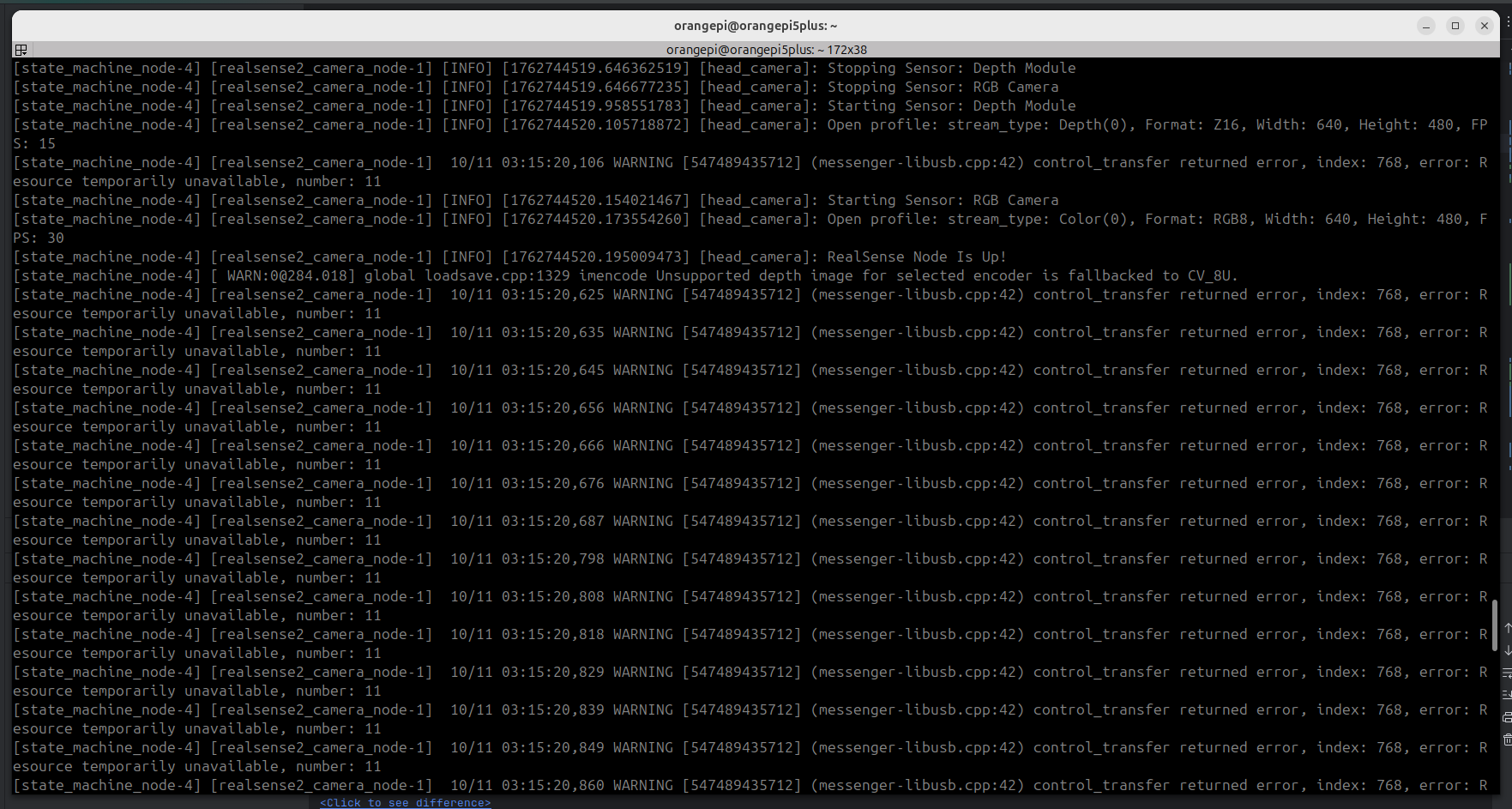
- 头部相机开启深度图和对齐后,会导致帧数降低比较多
- 相机配置参数第一次配置完成后,如果需要修改配置,需要重启 香橙派 下位机软件才可以
- 性能测试参考( relasense 相机驱动 + grpc数据传输)
| 相机配置 | RGB分辨率 | 是否开启深度 | 是否开启深度对齐 | 实际fps测试 | 截图 |
|---|---|---|---|---|---|
| 头部相机 | 1280x720 @ 30fps | 否 | 否 | 平均20fps | 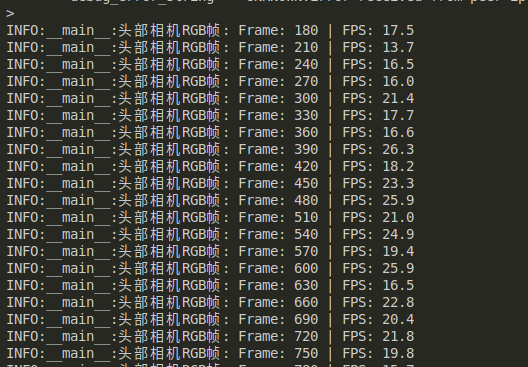 |
| 头部相机 | 1280x720 @ 15fps | 否 | 否 | 平均20fps | 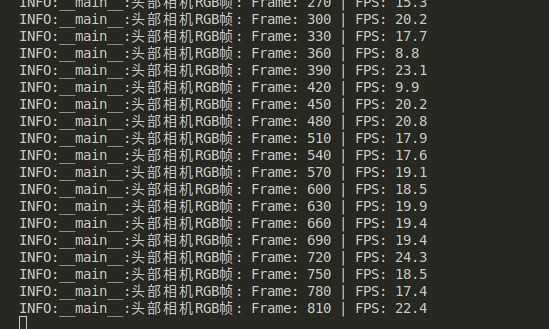 |
| 头部相机 | 1280x720 @ 30fps | 是(640x480 @ 30fps) | 是 | 平均5fps | 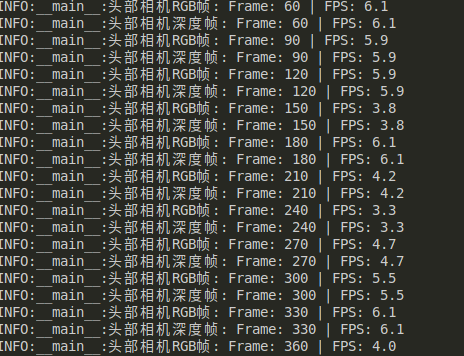 |
| 头部相机 | 1280x720 @ 30fps | 是(424x240 @ 30fps) | 是 | 平均5fps | 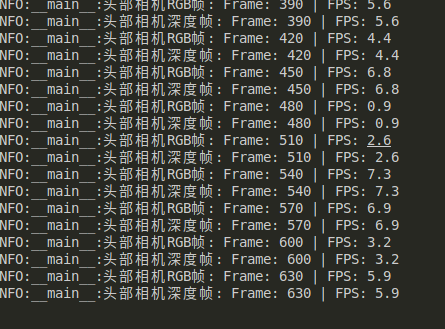 |
| realsense头部相机、realsense双臂相机 | 1280x720 @ 30fps | 否 | 否 | 平均6.5fps | 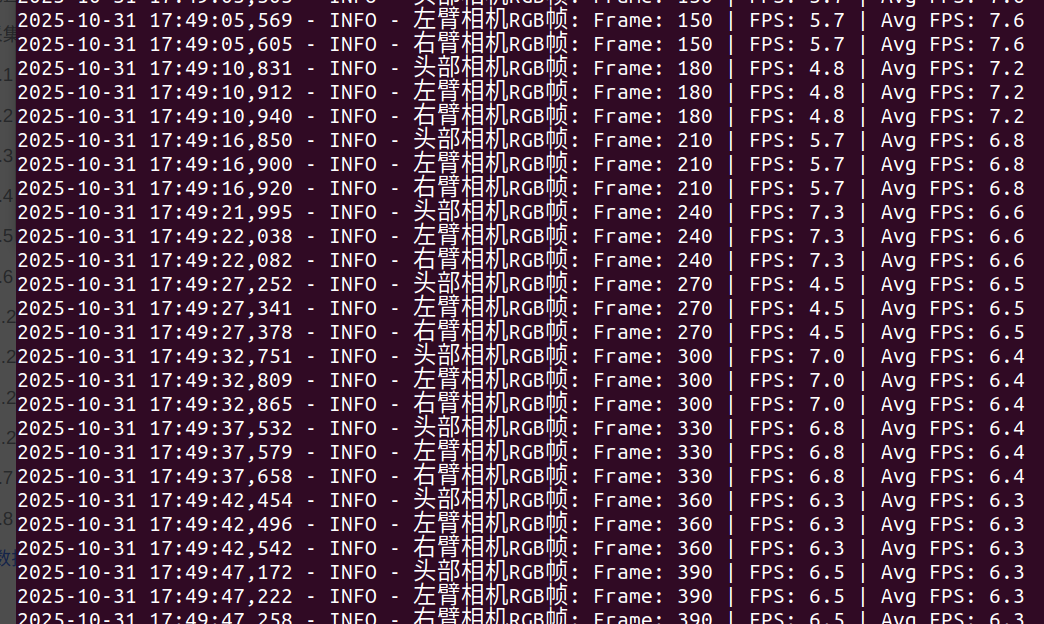 |
| realsense 头部相机、realsense 双臂相机 | 640x480 @ 30fps | 否 | 否 | 平均9帧 | 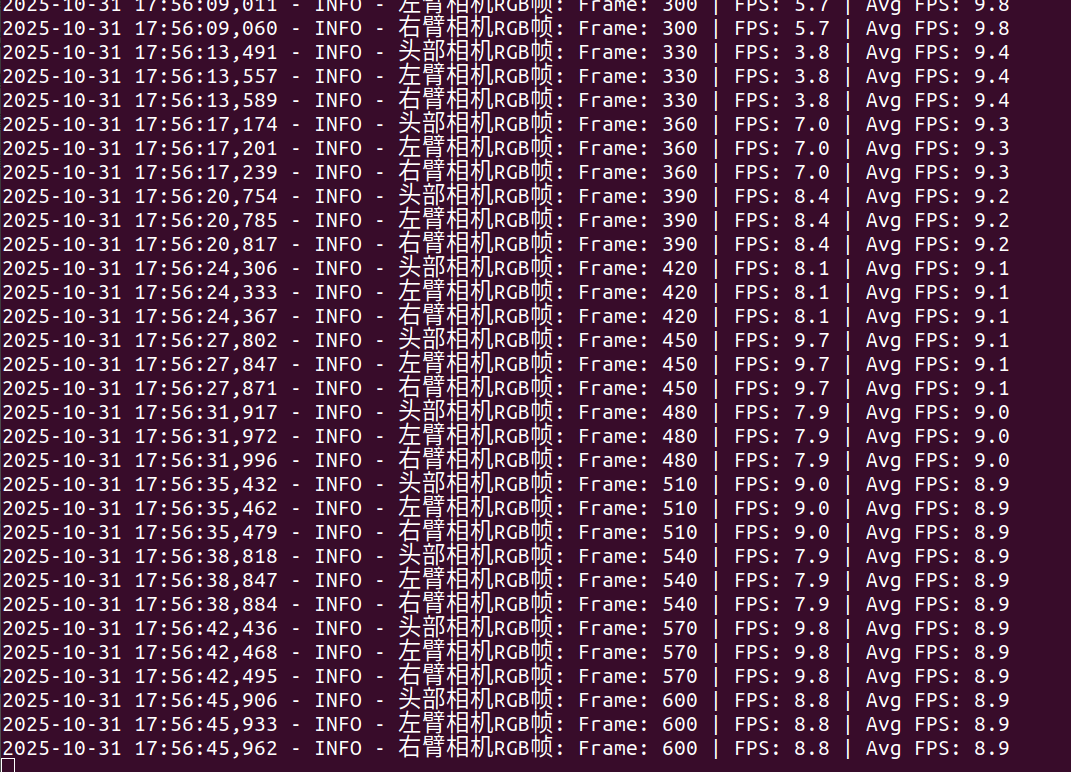 |
| realsense 头部相机、realsense 双臂相机 | 1280x720 @ 30fps | 是 (640x480 @ 30fps) | 是 | 平均1帧 | 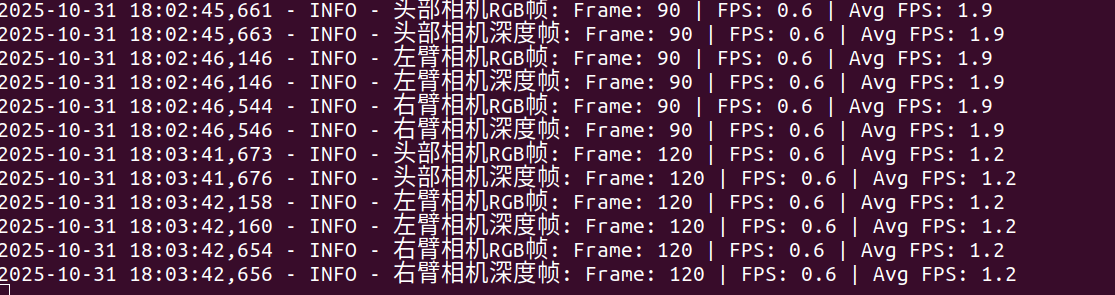 |
| realsense 头部相机、realsense 双臂相机 | 640x480 @ 30fps | 是 (424x240 @ 30fps) | 是 | 平均1帧 | 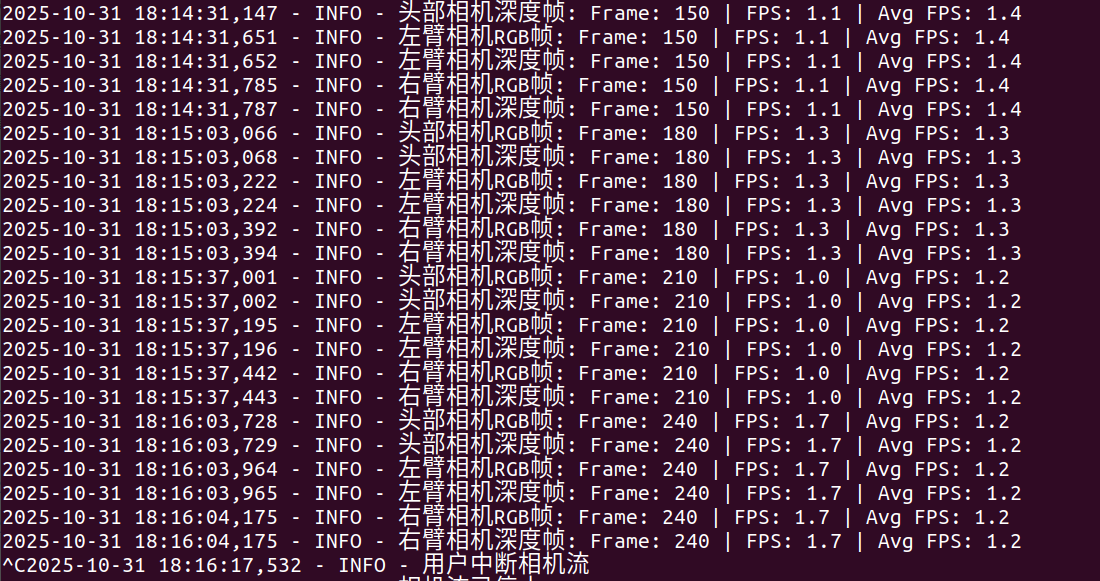 |
| realsense 头部相机、usb双臂相机 | realsense: 1280x720 @ 30fps usb: 640x480 @ 25fps |
否 | 否 | 平均7帧 | 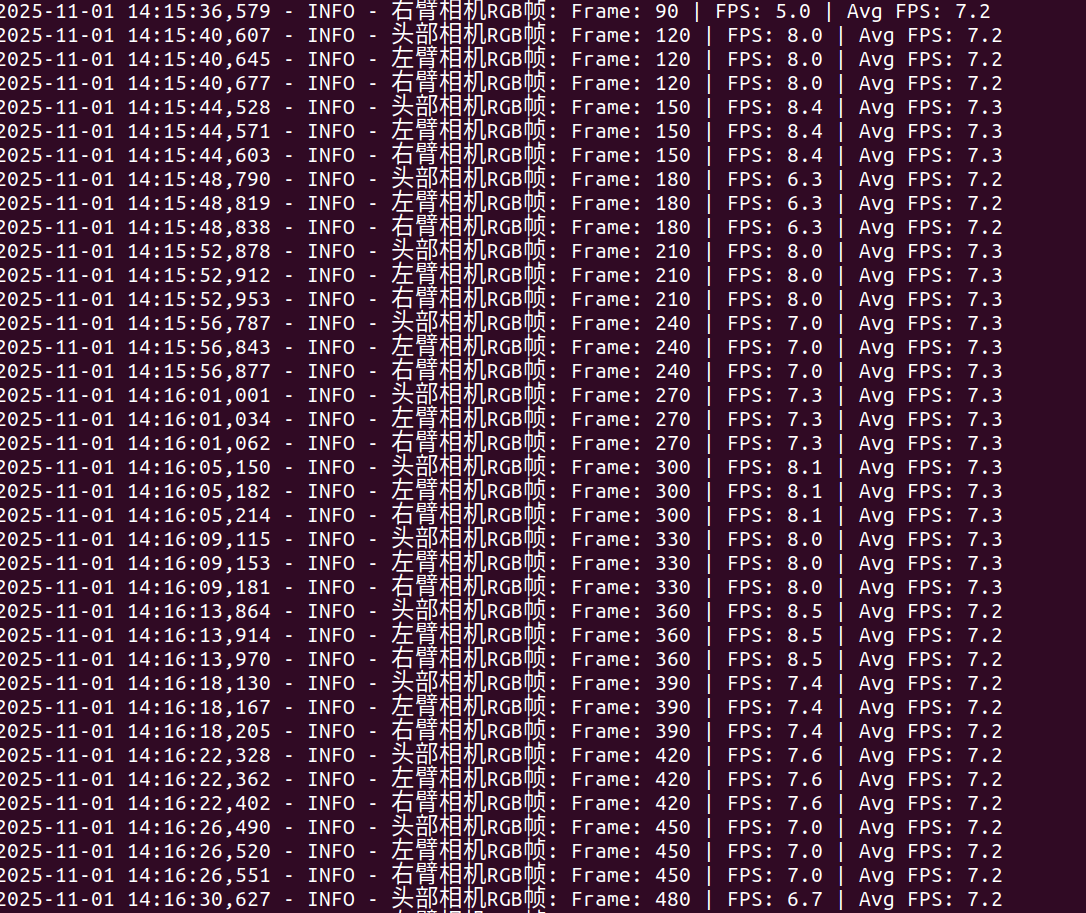 |
| realsense 头部相机、usb双臂相机 | realsense: 640x480 @ 30fps usb: 640x480 @ 25fps |
否 | 否 | 平均8.6帧 | 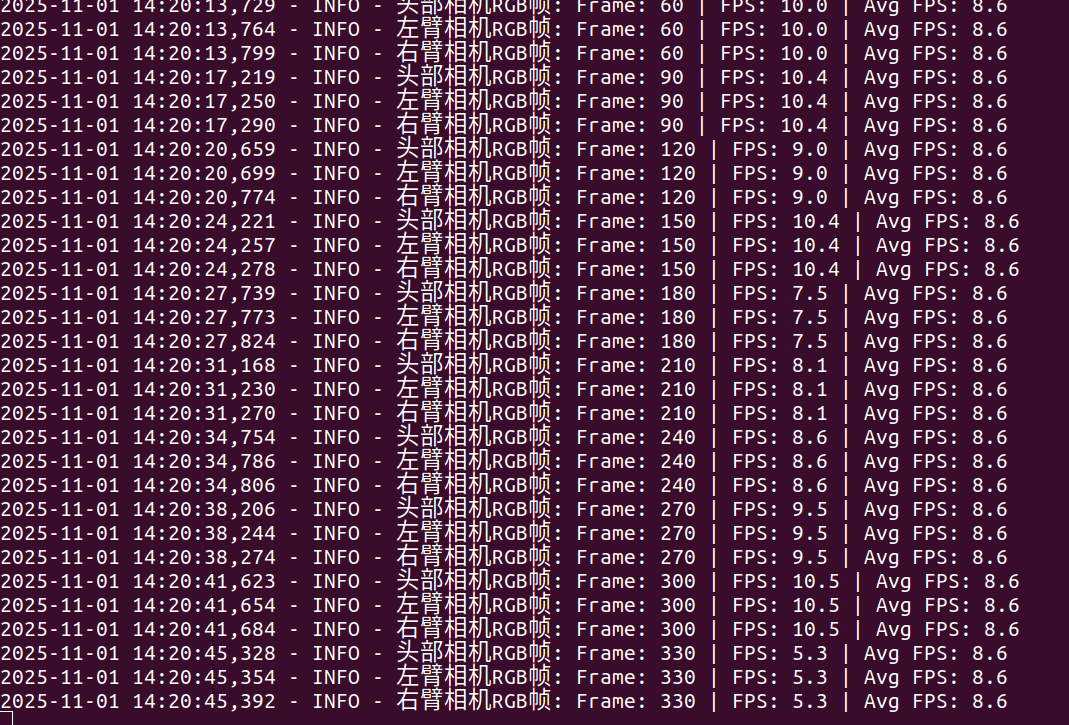 |
| realsense 头部相机、usb双臂相机 | realsense: 640x480 @ 30fps usb: 640x480 @ 25fps |
是 (424x240 @ 30fps) | 是 | 平均5帧 | 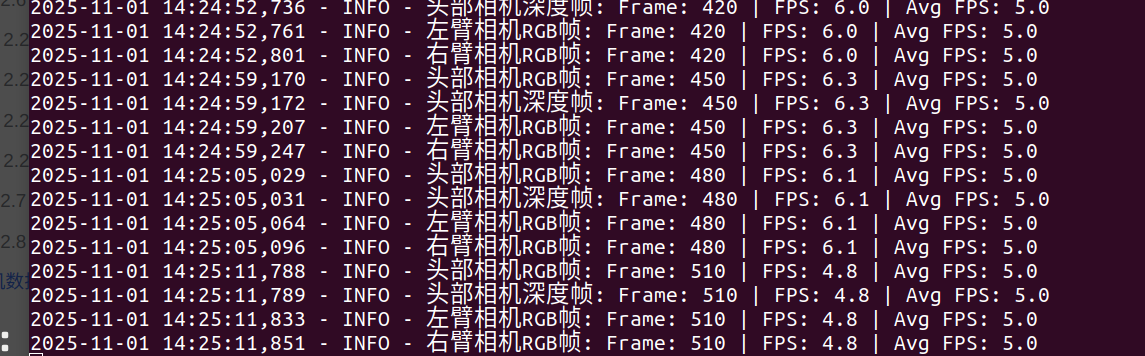 |